MQ-Advanced-pot
IBM MQ NativeHA In-Region Replication (IRR) on RHEL
Table of Contents
- 1. Introduction
- 2. Workshop Environments
- 3. IRR Setup
- 4. Testing In-Region Replication in Live Environment
- 5. Switching Roles
- 6. Summary
- 7. References
1. Introduction
What is Native HA?
Native HA is a high availability solution that is available on container deployments of IBM® MQ and on Linux.
What is Native HA In-Region Replication (IRR)?
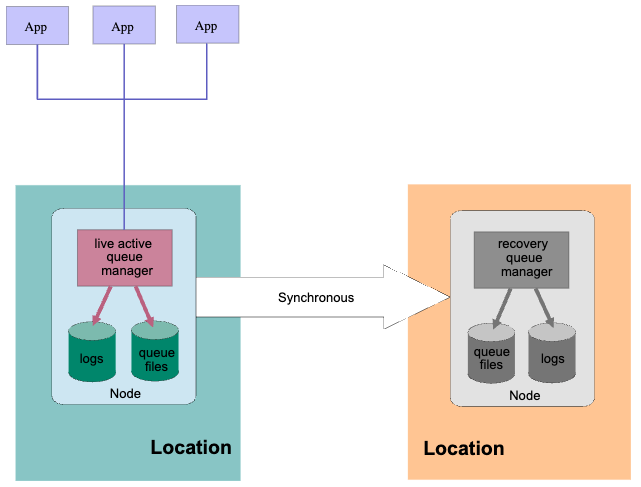
A Native HA In-Region Replication (IRR) configuration enables you to switch the running of a queue manager to a different Native HA configuration in a different location within the same region.
In this lab, you will investigate the process of configuring the NativeHA In-Region Replication (IRR) Queue Manager on RHEL Virtual Machines. Additionally, you will conduct testing in the Live environment, subsequently performing a failover to the Recovery environment and monitoring the transition of client connections from Live to Recovery. .
2. Workshop Environments
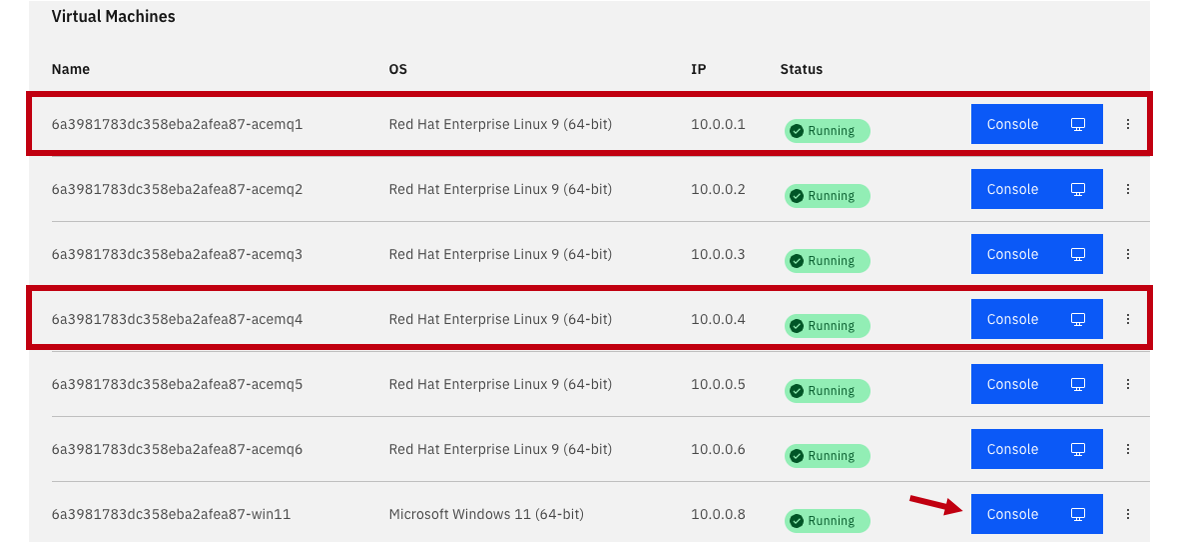
You need to reserve Techzone environment which will have 6 RHEL VMs, and 1 WIndows VM.
For this lab we will be using acemq1 and acemq4 for doing the MQ native HA IRR.
We will launch everything from the Windows image.
Click on the Windows image console to open it.
3. IRR Setup
-
From the Windows console click on the CAD to get to the login page. Click on OK for the Business Use Notice

-
Login to the windows using techzone/IBMDem0s

-
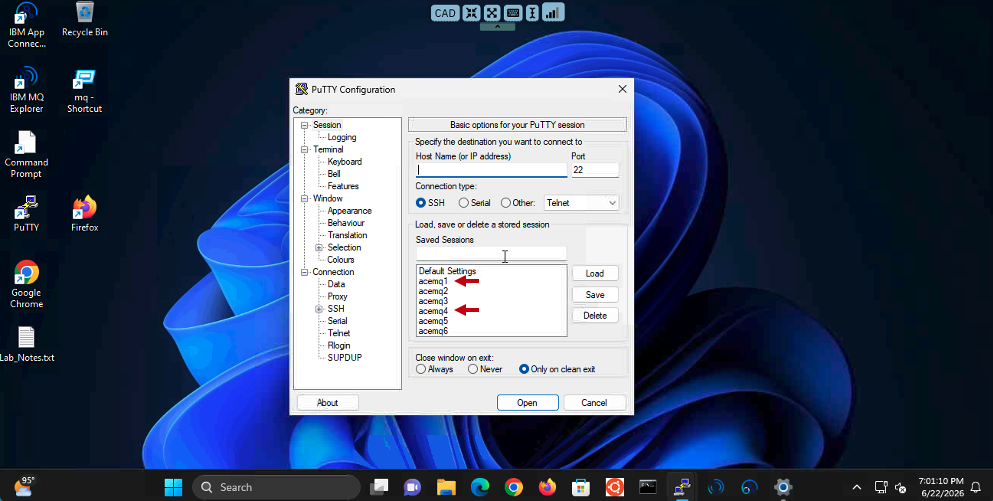
From the Windows VM’s Console, open Putty program and open acemq1, acemq4 Virtual Machine sessions.
-
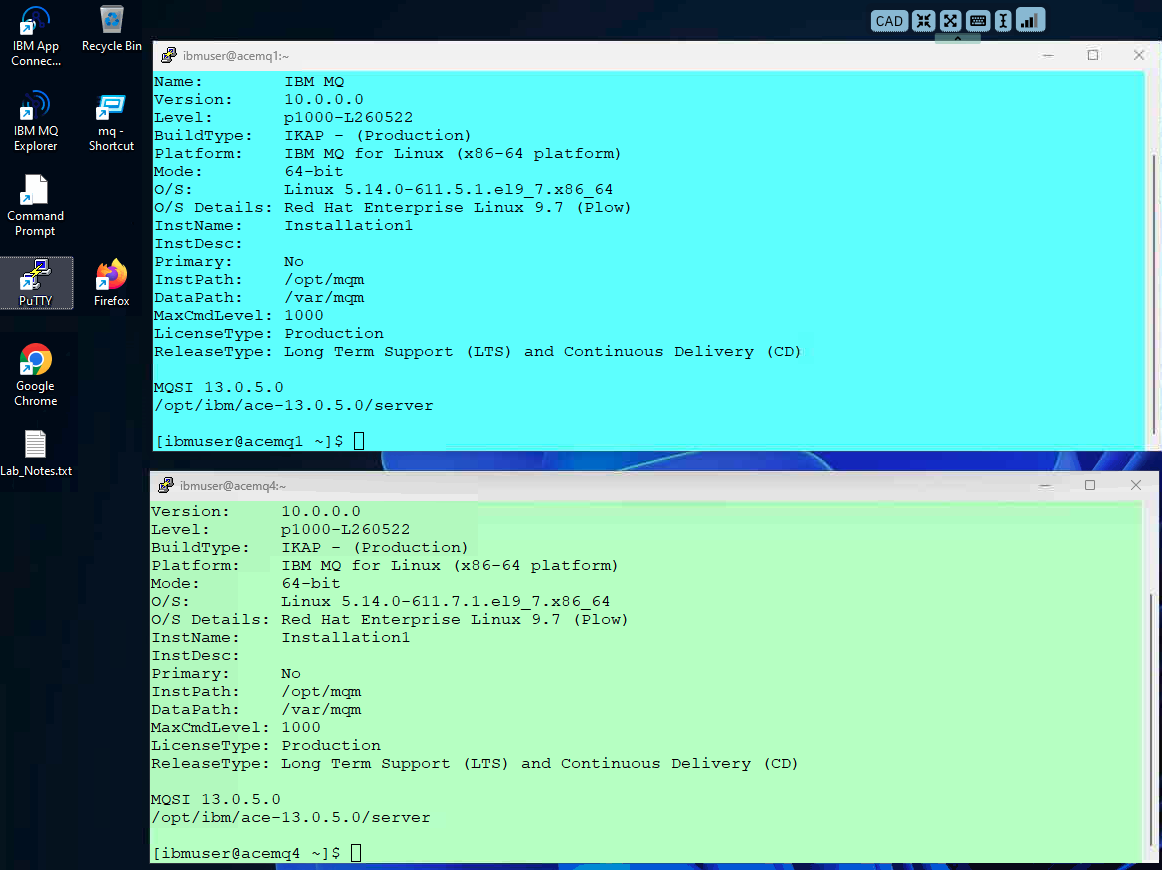
Arrange the windows on your desktop and you should have the 3 RH vms. Login to each VM using ibmuser/engageibm.
3a. acemq1 - Create Live Queue Manager
-
Run the following commands
Create Queue Manager MQ01IR
crtmqm -lr `hostname` -lf 8192 -lp 10 -ls 10 -p 1414 MQ01IR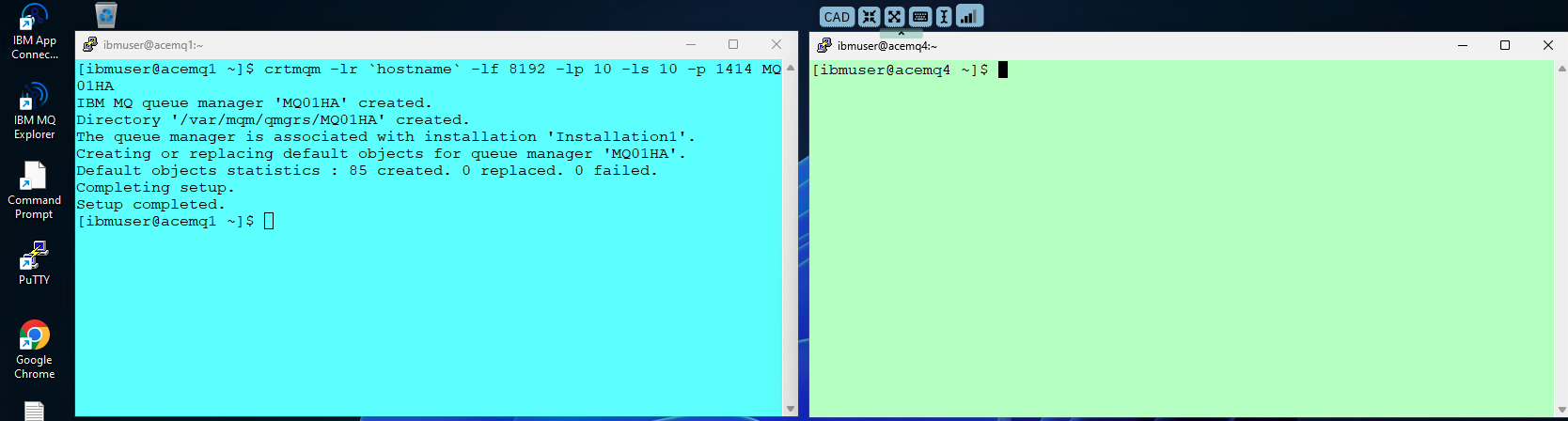
3b. acemq4 - Create Recovery Queue Manager
-
Run the following commands
Create Queue Manager MQ01IR on the Recovery side
crtmqm -lr `hostname` -lf 8192 -lp 10 -ls 10 -p 1414 MQ01IR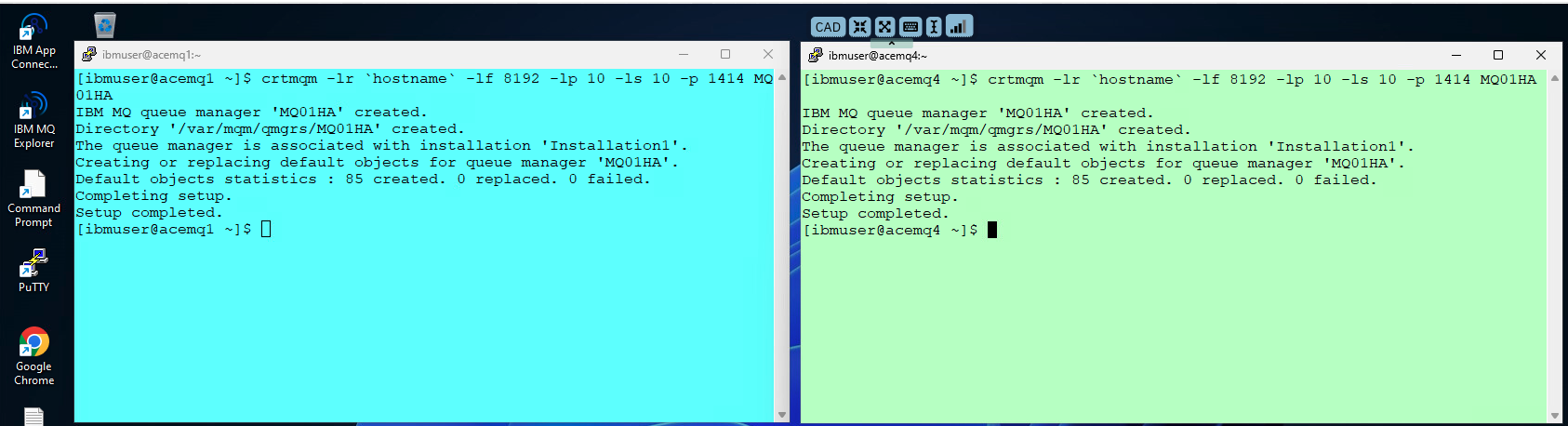
3c. acemq1 - Create TLS Certificates
-
Run the below steps to enable TLS on Queue Manager.
Create TLS certificates.
runmqakm -keydb -create -db /var/mqm/qmgrs/MQ01IR/ssl/key.kdb -pw passw0rd -stashrunmqakm -cert -create -db /var/mqm/qmgrs/MQ01IR/ssl/key.kdb -pw passw0rd -label selfsigned -dn CN=MQ01IR -size 2048sudo chown -R :mqm /var/mqm/qmgrs/MQ01IR/ssl/key.*sudo chmod g+r /var/mqm/qmgrs/MQ01IR/ssl/key.*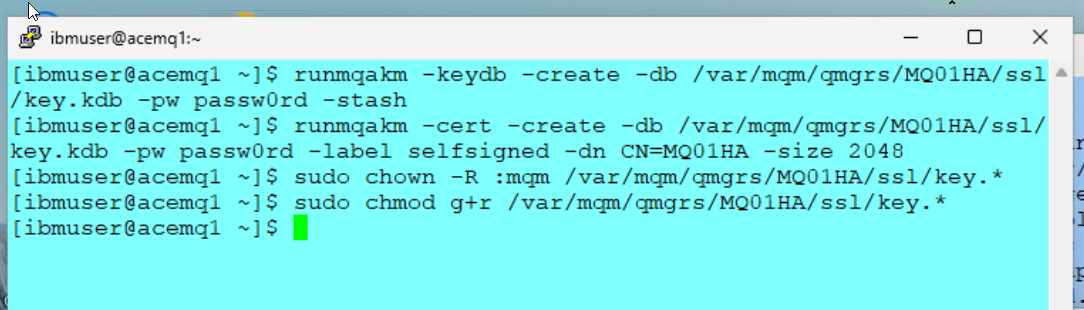
-
Copy all key.* files to acemq4 (Recovery) Virtual Machines using sftp.
sftp ibmuser@acemq4mput /var/mqm/qmgrs/MQ01IR/ssl/key.* /var/mqm/qmgrs/MQ01IR/sslquit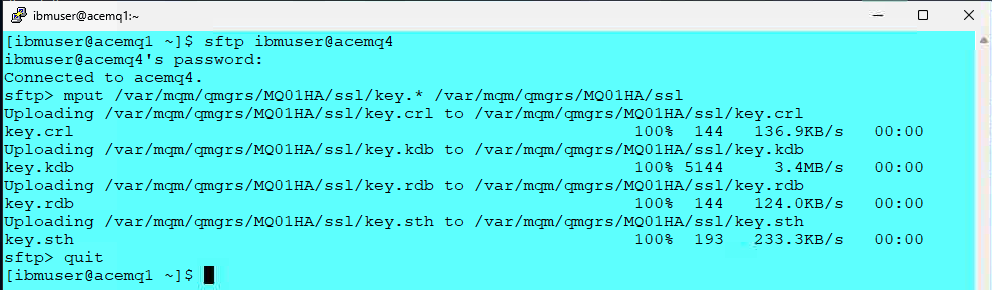
3d. acemq4 - Update Certificate Permissions
- Run the following commands to grant access to key.* files.
sudo chown -R :mqm /var/mqm/qmgrs/MQ01IR/ssl/key.*sudo chmod g+r /var/mqm/qmgrs/MQ01IR/ssl/key.*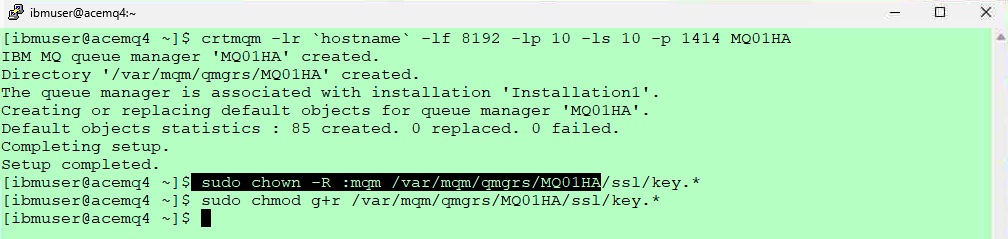
3e. acemq1 - Update Live qm.ini
-
On VM acemq1, we will add the TLS parameters, NativeHARecoveryGroup stanza to qm.ini.
You can run the following command to look at the current qm.ini file.
cat /var/mqm/qmgrs/MQ01IR/qm.ini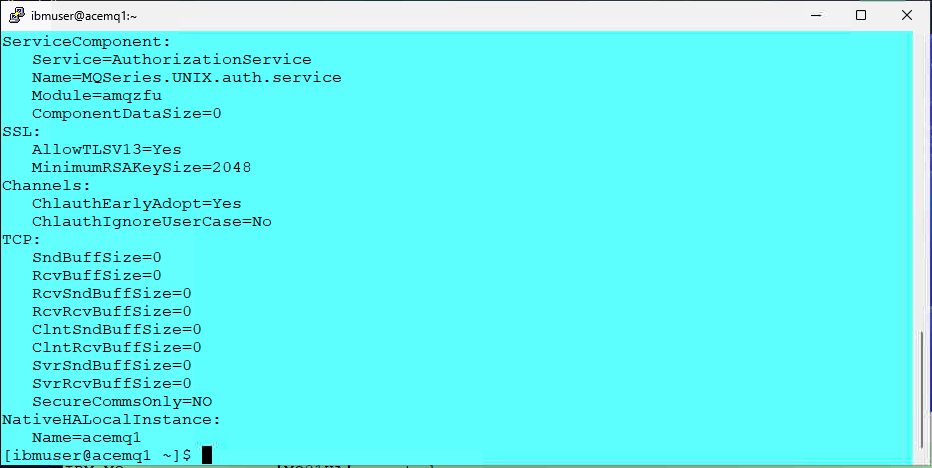
-
run the following commands.
cd ~/mqha-irrRun 1-qm-IRR.sh to enable Native HA IRR on the Live Region. The command will add Native HA configurations to qm.ini file.
./1-qm-IRR.sh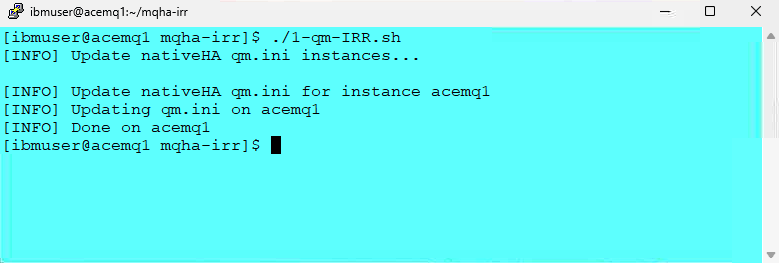
-
When done run the following command to verify that the qm.ini was updated correctly.
cat /var/mqm/qmgrs/MQ01IR/qm.ini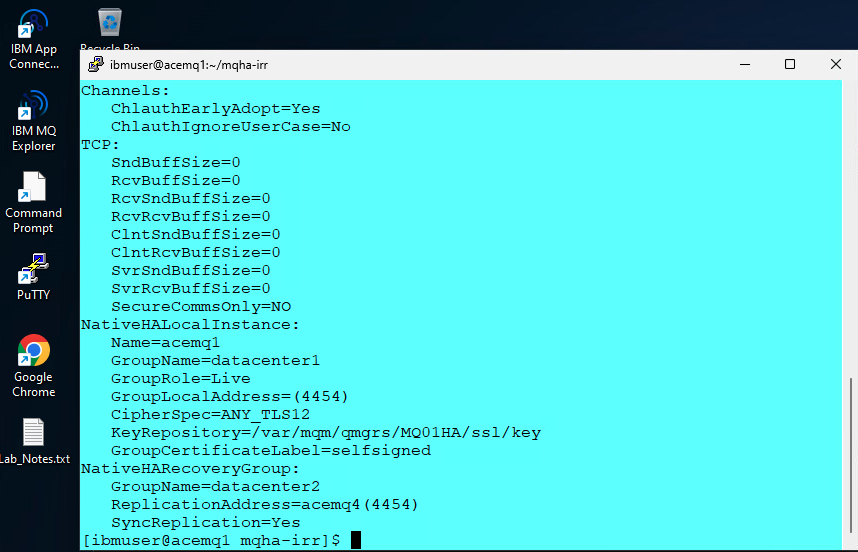
3f. acemq4 - Update Recovery qm.ini
-
Run 2-qm-IRR.sh to enable Native HA IRR on the Recovery Region. The command will add Native HA configurations to qm.ini file.
./2-qm-IRR.shCheck qm.ini.
cat /var/mqm/qmgrs/MQ01IR/qm.ini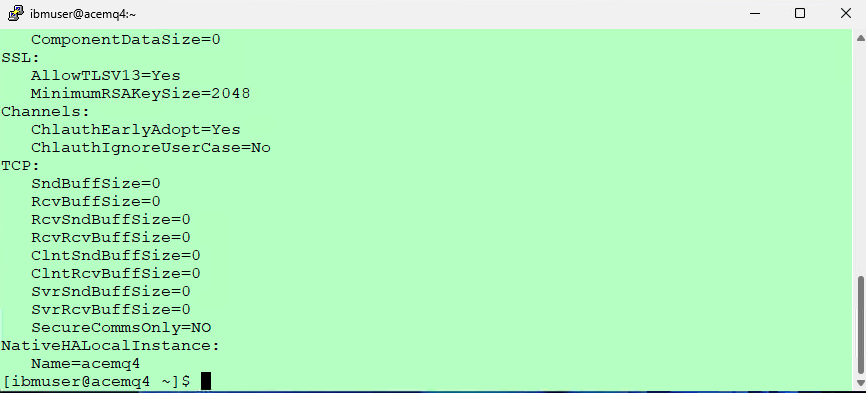
-
Run below commands.
cd ~/mqha-irrEnable Native HA IRR.
./2-qm-IRR.sh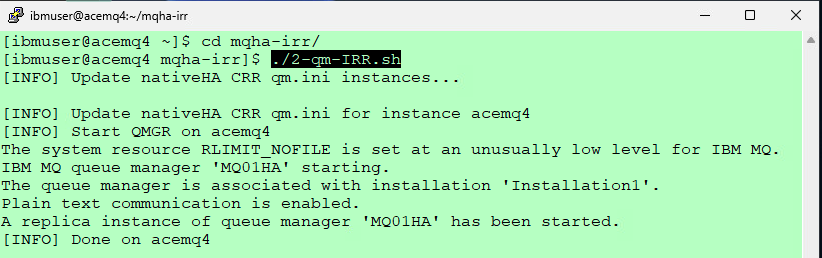
-
When done run the following command on acemq4 instance to verify that the qm.ini was updated correctly.
cat /var/mqm/qmgrs/MQ01IR/qm.ini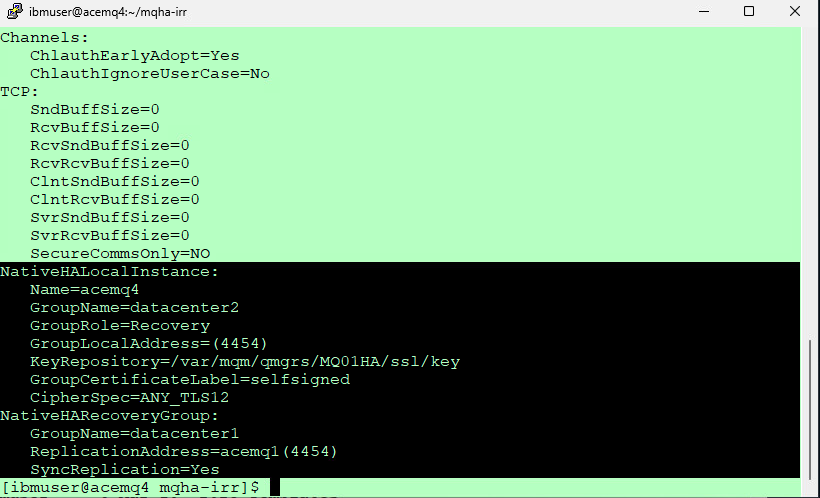
3g. acemq1, acemq4 - Enable systemd Monitoring
-
Reference:
https://www.ibm.com/docs/en/ibm-mq/9.4.x?topic=ha-monitoring-restarting-ending-queue-manager-instancesYou can implement a method to ensure that the queue manager instances in the Native HA configuration are still running, and restart them if required.
-
Run the following commands on each RHEL VM.
ln -s /opt/mqm/samp/mqmonitor@.service /etc/systemd/systemsudo systemctl enable mqmonitor@MQ01IRsudo systemctl start mqmonitor@MQ01IRThe Queue Manager should be active in one of Virtual Machines.
dspmq -o nativeha -x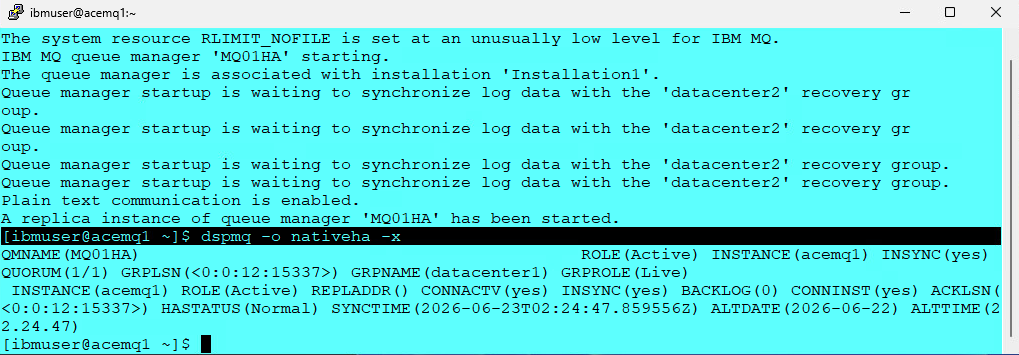
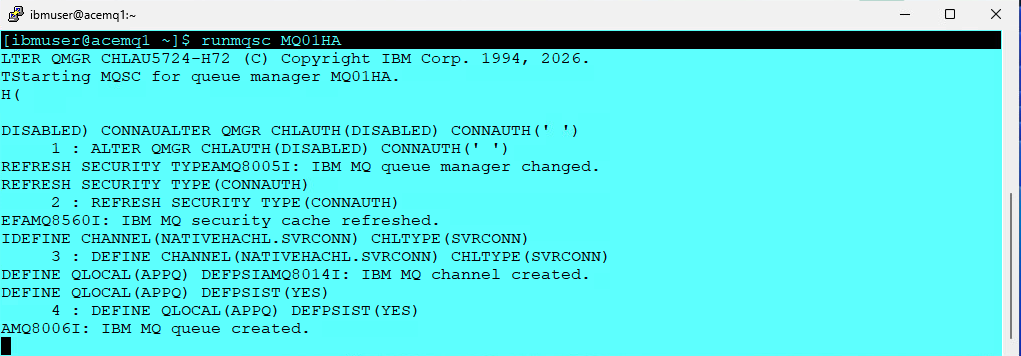
3h. Disable Security
Run the following command, on the node where the queue manager is Active,
This will disable security and define the channel and local Queue used for testing.
   runmqsc MQ01IR
   ALTER QMGR CHLAUTH(DISABLED) CONNAUTH(' ')
   REFRESH SECURITY TYPE(CONNAUTH)
   DEFINE CHANNEL(NATIVEHACHL.SVRCONN) CHLTYPE(SVRCONN)
   DEFINE QLOCAL(APPQ) DEFPSIST(YES)
   quit
4. Testing In-Region Replication in Live Environment
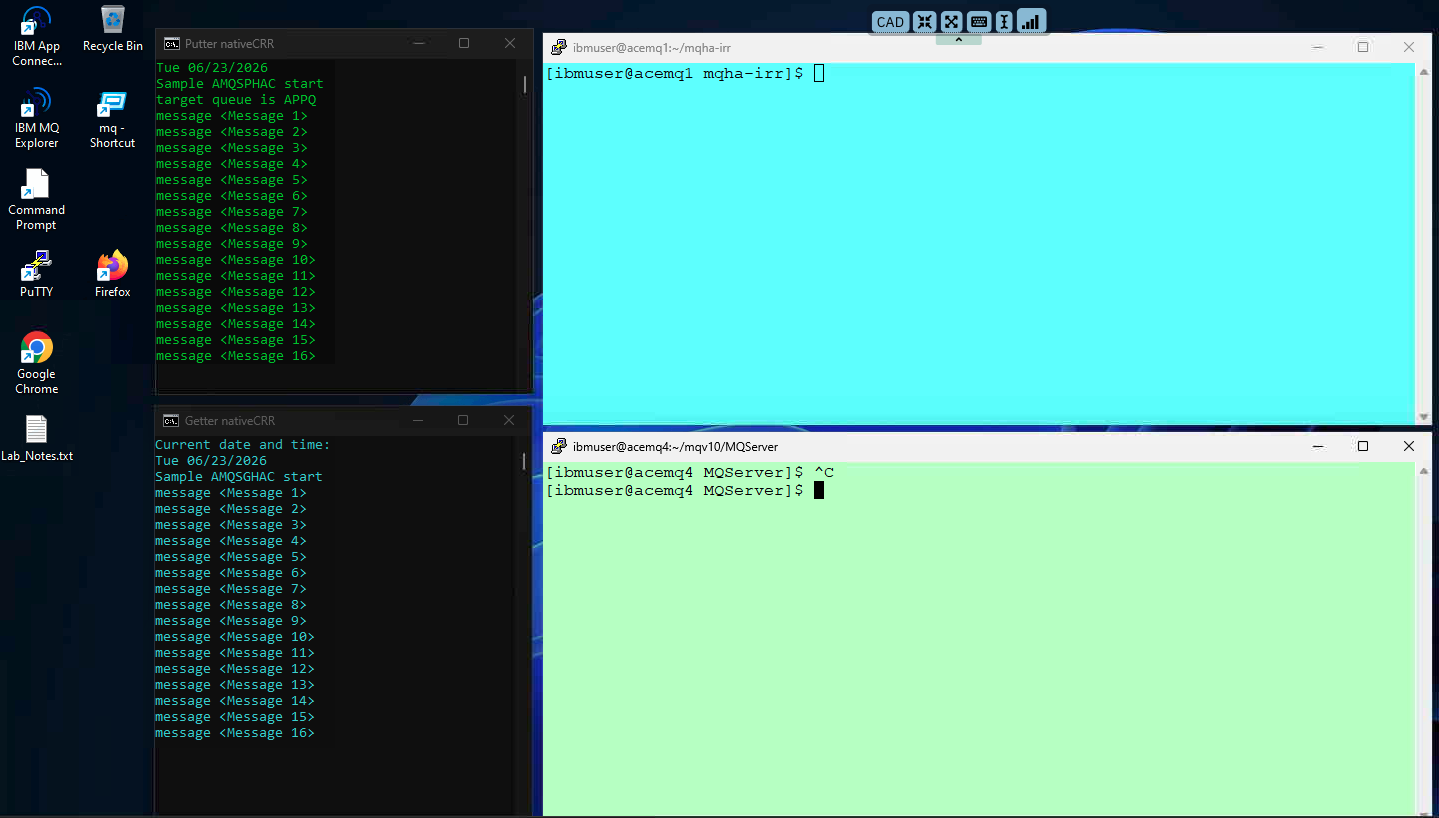
4a. Put and Get messages (amqsphac, amqsghac)
-
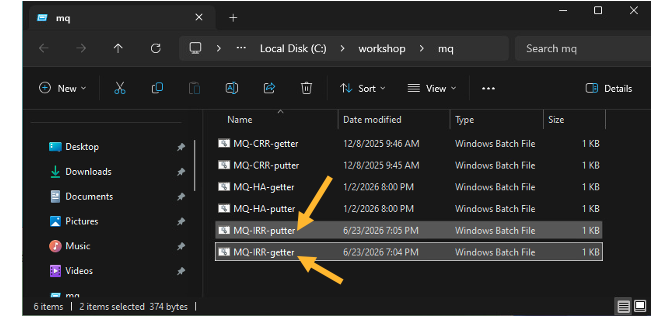
On the Windows VM Desktop
Open the MQ-Labs folder and start the putter and getter batch files.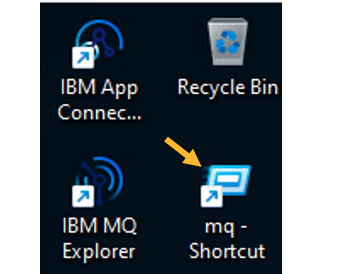
5. Switching Roles
-
We will now check the status on both Datacenter deployments. If this is the first time you should see Datacenter1 - Live and Datacenter2 - Recovery
acemq1
./get-status.sh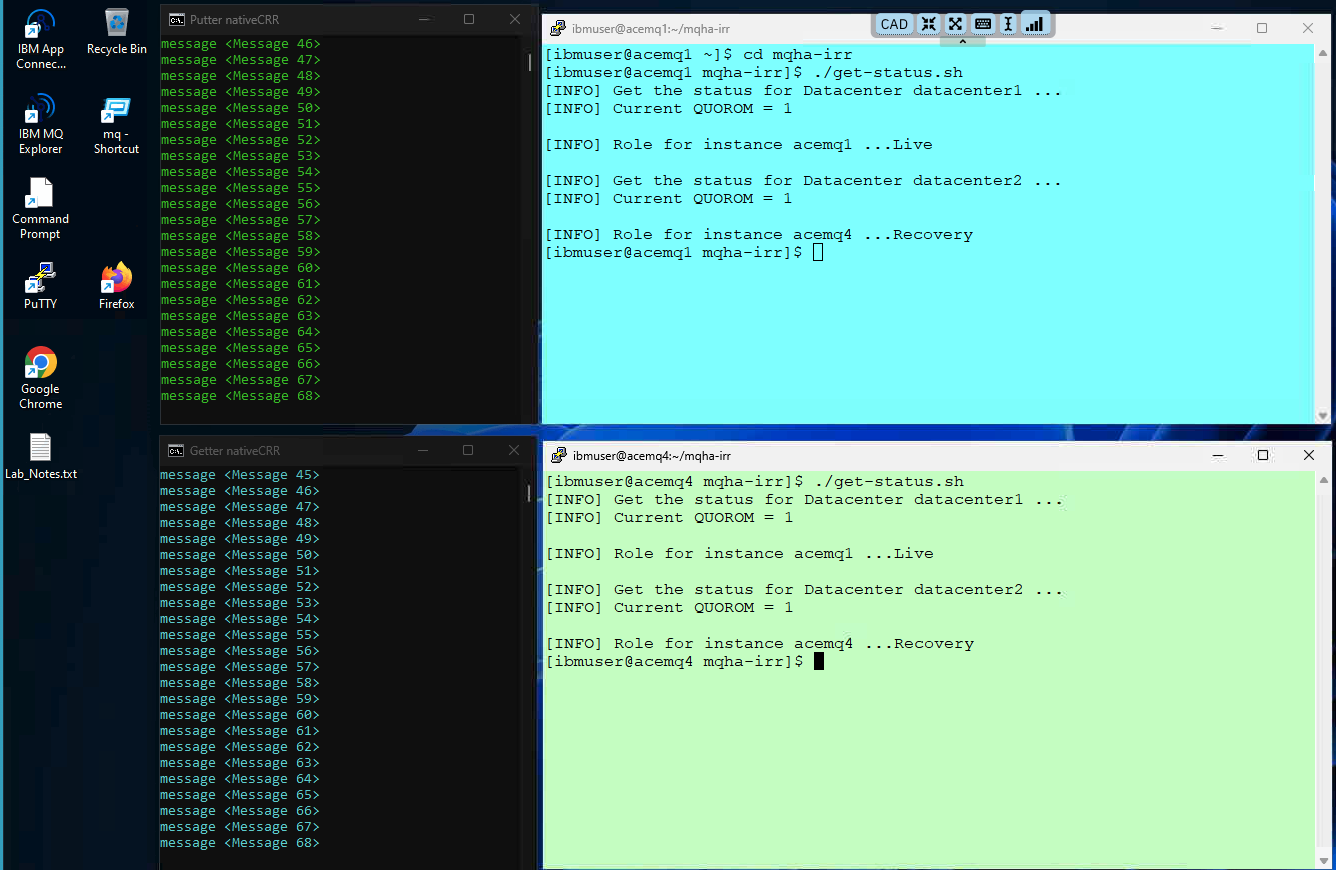
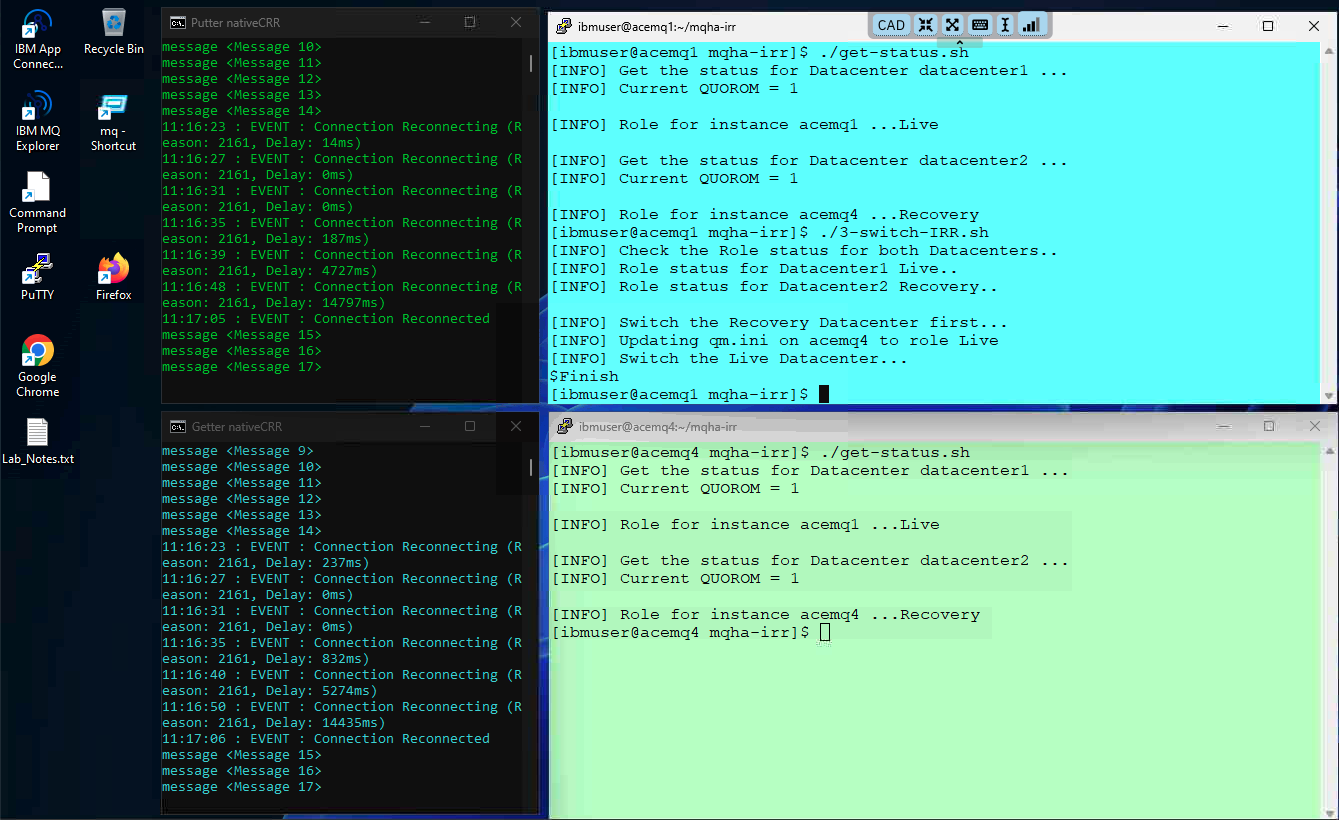
Let’s switch roles, which will make the Live to be Recovery and Recovery to be Live.
./3-switch-irr.shYou will also observe that the putter and getter programs will reconnect to the new active instance of the QMgr.
-
You can now run the ./get-status.sh again to see current status and then the ./5-switch-crr.sh to switch roles back.
./get-status.sh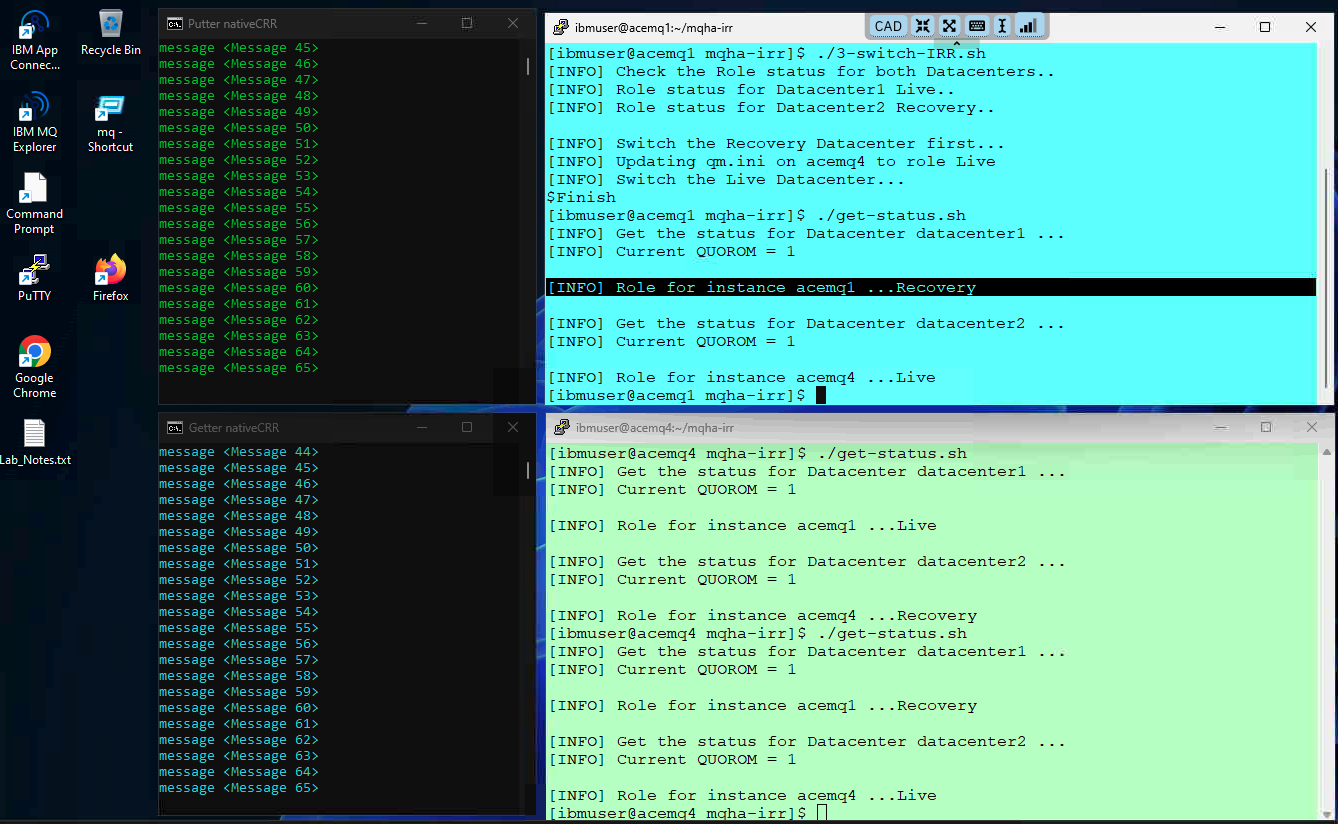
-
Now, you can switch the roles back by running ./3-switch-CRR.sh to failover back to the Live data center.
./3-switch-irr.sh
6. Summary
Congratulations! At this point, you ought to be familiar with the process of configuring IBM MQ Native HA IRR in the Primary, and Recovery regions.
7. References
Native HA IRR:
https://www.ibm.com/docs/en/ibm-mq/10.0.x?topic=recovery-native-ha-irr
Example: Deploying a simple Native HA IRR configuration on Linux:
https://www.ibm.com/docs/en/ibm-mq/10.0.x?topic=nhi-example-deploying-simple-native-ha-irr-configuration-linux